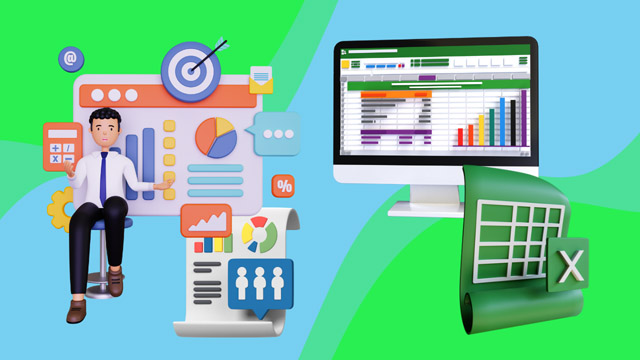
KLiC Certificate in Foundation of Financial Accounting (with Tally Prime and Excel)
Introduction
In this course, you will learn to:
Understand the foundational principles of financial accounting and the structure of financial records.
Develop hands-on skills to record, classify, and summarize business transactions both manually and digitally.
Gain proficiency in using Tally Prime for business operations such as accounting, inventory, banking, billing, GST, cost centers, and report generation.
Learn the fundamentals of Microsoft Excel for data entry, formatting, calculation, analysis, and visualization.
Integrate accounting knowledge with practical tools like Tally and Excel to manage real-world financial workflows, reports, and decision-making processes.
Apply case-based learning to understand complete business cycles, including purchase and sales orders, manufacturing, banking, and multi-currency transactions.
What you'll learn ?
At the end of this course, learners will be able to:
Apply accounting principles to accurately maintain books of accounts, prepare ledgers, and generate trial balances and financial statements.
Perform day-to-day business accounting using Tally Prime, including entries for payments, receipts, purchases, sales, and journal vouchers.
Configure and manage inventory, vouchers, ledgers, cost centers, and GST setup within Tally Prime.
Use Excel for efficient data entry, formatting, validation, and transformation using features like Flash Fill, conditional formatting, and custom number/date formats.
Utilize Excel functions such as SUMIF, VLOOKUP, TEXTSPLIT, HSTACK, IFS, and pivot tables to analyze and summarize financial data.
Handle banking transactions, reconciliation, and reporting including cheque printing and post-dated entries.
Process complex accounting operations like depreciation, prepaid expenses, interest calculations, purchase/sales returns, and multi-currency transactions.
Implement and analyze full order cycles (PO/SO), manufacturing setups, BOMs, batch-wise inventory tracking, and case-based inventory reporting.
Generate insightful dashboards and reports in Excel and Tally for decision-making, audit readiness, and compliance.
Syllabus
Course Introduction
Definition & Utility of Accounting
Introduction to Accounting
Method of Accounting
Financial Accounting Concept
Basic Books of Accounts
Recording Transactions
Manual Accounting System
Financial Report
What is a Market Place?
What are Goods and Services?
What are the Different Types of Organization?
Difference Between Types of Entities
Purpose of Maintenance of Books of Accounts
Case Study: Single Entry vs Double Entry
Cash Basis vs Accrual Basis of Book-keeping
Case Study: Cash Basis vs Accrual Basis of Accounting
Reports Generated from Book-keeping
Definition of Accountancy
Users of Accounting Information
General Transactions - 1 Shop & 1 Service
General Books of Accounts Maintained by Them
General Transactions in a Stationery Store
Example 1: Books Maintained by the Stationery Store
General Transactions in a Xerox Shop
Example 2: Books Maintained by the Xerox Shop
Understanding Transactions in an Organization
Meaning of Accounting Principles
Accounting Concepts and Conventions
Entity Concept
Money Measurement Concept
Going Concern Concept
Periodicity Concept
Matching Concept
Accrual Concept
Consistency Concept
Historical Cost Concept
Prudence Concept
Materiality Concept
Realisation Concept
Dual Effect Concept
Case Study - Accounting Concepts
Concept of Capital and Revenue Expenditure
Concept of Capital and Revenue Income
Case Study - Capital and Revenue
Golden Rules of Accounting
Types of Accounts
Golden Rules of Accounting - Real Accounts
Golden Rules of Accounting - Personal Accounts
Golden Rules of Accounting - Nominal Accounts
Recording a Cash Sale
Recording a Credit Sale
Recording Receipt from a Debtor
Recording a Credit Purchase
Recording Payment for Purchase of Letterheads
Payment of Cash for Staff Refreshments
Classification of Accounts
Case Study: Journal
Subsidiary Books
Case Study: Subsidiary Books
Rectification of Errors
Concept of Book Entries
What is a Ledger?
Ledger Posting - Expense Account
Ledger Posting - Income Account
Ledger Posting - Asset Account
Ledger Posting - Liability Account
Trial Balance and its Components
Case Study: Subsidiary Books and Ledgers
Ledger Scrutiny
Ledger Scrutiny - Liability
Ledger Scrutiny through Trial Balance
Components of Financial Statements
Profit & Loss Account and its Components
Balance Sheet and its Components
Notes to Accounts
Cash Flow Statement
Accounting Standards
Applicability of Accounting Standards
Difference between Computerised and Manual Accounting
Introduction to Tally and Other Software
Example of Financial Statements of Sole Proprietorship
Example of Financial Statements of Partnership
Example of Financial Statements of Trust
Example of Financial Statements of Company
Example of Financial Statements of Bank
Introduction - Debtors
Concept of Credit Period
MSME Debtors
Udyam Registration and its Benefits
Difference between Cash Discount and Trade Discount
Debtor Reconciliation
Bill-wise Entry of Debtors
Ledger Scrutiny - Debtors
Concept of Credit Note
Introduction - Creditors
Creditor Reconciliation
Bill-wise Entry of Creditors
Ledger Scrutiny - Creditors
Concept of Debit Note
Presentation of Debtors and Creditors in the Financial Statements
Presentation of Debtors and Creditors in the Financial Statements - ITC Ltd
Credit Rating Agencies - Meaning and Functions
Inventory
Components of Inventory
Books Maintained under Inventory
Stock Register
Documents Used for Inventory
Material Requisition Note
Delivery Challan
Goods Received Note
Documents in Case of Import of Goods
Valuation of Stock
Cost Sheet
Manufacturing Account
Process from Material to Finished Goods
Concept of Variable Cost
Concept of Fixed Cost
Contribution
Sample Documents
Cost Sheet
Case Study - Cost Sheet
ABC Analysis in Inventory Management
History of Tally
Importance of Tally in Accounting
Tally ERP 9 vs Tally Prime
Tally Prime Setup - Download
Tally Prime Setup - Installation
Tally License Information
Tally Prime Interface - Select Company
Tally Prime Interface - Manage Options - Other Buttons
Tally Prime Interface - Manage Options - F1 Help Button
Company Creation in Tally Prime - I
Company Creation in Tally Prime - II
Company Feature in Tally Prime - Accounting Feature
Company Feature in Tally Prime - Inventory Feature
Company Feature in Tally Prime - Taxation & Other Feature
Gateway of Tally Introduction - Menu Options - I
Gateway of Tally Introduction - Menu Options - II
Gateway of Tally Introduction - Main Screen
Gateway of Tally Introduction - Main Screen - II
Accounting Group Introduction
Accounting Group & Sub Group Creation I (Income & Expenses)
Accounting Group & Sub Group Creation II (Assets & Liabilities)
Accounting Group & Sub Group Alteration/Deletion
Accounting Ledger Introduction
Accounting Ledger Creation - I
Accounting Ledger Creation - II
Accounting Ledger Creation - III
Accounting Ledger Alteration/Deletion
Stock Group Introduction
Stock Group Creation
Stock Group Alteration/Deletion
Stock Category Introduction
Stock Category Creation
Stock Category Alteration/Deletion
Unit of Measurement Introduction
Unit of Measurement Creation - Simple & Compound
Unit of Measurement Alteration/Deletion
Godown Introduction
Location vs Godown
Godown/Location Creation
Godown Alteration/Deletion
Stock Item Introduction
Stock Item Creation
Stock Item Alteration/Deletion
Voucher Types in Tally - Introduction
Voucher Types Creation/Alteration in Tally Prime
Chart of Accounts in Tally Prime
Chart of Accounts - Accounting Groups
Chart of Accounts - Accounting Ledgers
Chart of Accounts - Voucher Types
Chart of Accounts - Inventory Masters
Multi Accounting Master - Introduction
Multi Accounting Master - Creation
Multi Accounting Master - Alteration
Multi Inventory Master - Introduction
Multi Inventory Master - Creation
Multi Inventory Master - Alteration
Preview of Trial Balance with Master Opening
Preview of Profit & Loss Statement
Preview of Balance Sheet with Master Opening
Treatment of Opening Balance Difference
Basic Accounting Vouchers Used for Business Transactions
Receipt Transaction in Tally Prime - Configuration
Receipt Transaction in Tally Prime - Booking
Receipt Transaction in Tally Prime - Cash Receipt
Receipt Transaction in Tally Prime - Bank Receipt
Payment Transaction in Tally Prime - Configuration
Payment Transaction in Tally Prime - Booking
Payment Transaction - Petty Cash Expenses
Payment Transaction - Online Payment
Payment Voucher
Receipt Voucher
Contra Voucher - Configuration
Contra Voucher - Cash Deposit
Contra Voucher - Interbank Transfer
Receipt Voucher as Contra Voucher
Payment Voucher as Contra Voucher
Journal Voucher - Depreciation
Journal Voucher - Other Transactions
Cash Purchase Transaction - Configuration
Cash Purchase Transaction - Account Invoice
Cash Purchase Transaction - Voucher Format
Credit Purchase Transaction - Account Invoice
Credit Purchase Transaction - Voucher Format
Cash Sales Transaction - Configuration
Cash Sales Transaction - Transaction
Credit Sales Transaction - Account Invoice
Credit Sales Transaction - Voucher Format
Inventory Cash Purchase - Configuration
Inventory Cash Purchase - Transaction
Inventory Credit Purchase
Inventory Credit Purchase with Delivery Charges
Inventory Cash Sales - Bank Account
Inventory Cash Sales - Cash Ledger
Inventory Credit Sales
Inventory Credit Sales with Delivery Charges
Debit Note
Credit Note
Stock Journal - Material Transfer
Stock Journal - Material Consumption
Physical Stock
Memorandum Voucher
Optional Voucher Configuration
Optional Voucher Proforma Invoice
Financial Statements
Accessing Trial Balance Report
Working with Trial Balance in Tally
Accessing P&L Account Report
Working with P&L Report in Tally
Accessing Balance Sheet Report
Working with Balance Sheet Report in Tally
Accessing Stock Summary Report
Working with Stock Summary Report
Cash & Funds Flow Statements
Day Book & Trial Balance Report
Cancellation, Alteration and Deletion of Vouchers in Tally Prime
Addition & Insertion of Transactions in Tally Prime
Multi Currency Concept - ROE, FEF Realised & Unrealised
Company Creation with base Currency
Multi Currency Creation/Alteration
Export Invoice - Inventory
Export Invoice - Service
Import Invoice - Inventory
Import Invoice - Service
Objectives
Unadjusted Gain or Loss (FEF) Report
Payment against Import Invoice
Forex Exchange Gain or Loss
Ledger & Voucher Configuration
Forex Gain or Loss on Import - Full Payment
Forex Gain or Loss on Import - Part Payment
Receipt against Export Invoice
Objectives
Forex Gain or Loss on Export - Part Payment
Forex Gain or Loss on Export - Full Payment
Forex Gain or Loss on Advance Payment
Forex Gain or Loss on Unrealised Invoice (Year End)
Bank Charges on Receipt
Subsequent Year Export Invoice
Objectives
Subsequent Year Receipt
Subsequent Year Transaction - Import Purchase
Subsequent Year Transaction - Closing ROE
Subsequent Year Transaction - Payment Voucher
Forex Gain or Loss Reports
Do's & Don'ts while Working with Multi Currency
Objectives
Multi Currency Case Study Description
Multi Currency Case Study Data Setup
Multi Currency Setup
Import of Assets
Advance Receipt
Export of Goods
FEF on Advance Receipt
Payment against Import
FEF on Import Payment
Closing ROE - Revaluation
Receipt against Export
FEF on Export Receipt
Objectives
What is Purchase Order?
Purchase Order Cycle in Tally Prime?
Purchase Order Feature - Company Creation
Purchase Order Feature - Voucher Setup
Purchase Order Voucher Configuration
Purchase Order Voucher No 1
Purchase Order Voucher No 2
Receipt Note Voucher No 1
Receipt Note Voucher No 2
Objectives
Purchase Invoice No 1
Purchase Invoice No 2
Payment against Purchase
Purchase Order Report
Purchase Order Voucher No 1
Purchase Order Voucher No 2
Objectives
Receipt Note Voucher No 1
Receipt Note Voucher No 2
Pre-closure of Purchase Order
Rejection Out Voucher
Purchase Invoice against PO No 1
Purchase Invoice against PO No 2
Debit Note against Purchase Invoice
Payment Entry against Purchase Invoice
Purchase Order Report
Objectives
Case Study Description - PO
Case Study Data Setup - PO
Purchase Order Voucher 1
Purchase Order Voucher 2
Receipt Note against Purchase Order
Rejection Out against Receipt Note
Pre Closure of Order
Purchase Invoice against Receipt Note
Debit Note against Puchase Invoie
Purchase Order Report
Objectives
What is a Sales Order?
Sales Order Cycle in Tally Prime
Sales Order Feature - Company Creation
Sales Order Feature - Voucher Activation
Sales Order 1 (Buyer 1)
Sales Order 2 (Buyer 2)
Delivery Note 1 (Buyer 1)
Delivery Note 2 (Buyer 2)
Objectives
Sales Invoice 1 (Buyer 1)
Sales Invoice 2 (Buyer 2)
Receipt against sales Invoice
Sales Order Report
Sales Order Voucher No 1
Sales Order Voucher No 2
Objectives
Deliver Note Voucher No 1
Deliver Note Voucher No 2
Pre Closure of Sales Order
Rejection In Voucher
Sales Invoice against SO 1
Sales Invoice against SO 2
Credit Note
Sales Order Report
Objectives
Case Study Description SO
Case Study Data Setup Sales Order
Sales Order Voucher 1
Sales Order Voucher 2
Delivery Challans against Sales Order
Rejection In against Delivery Challan
Pre Closure of Sales Order
Sales Invoice against Delivery Challans
Credit Note against Sales Invoice
Sales Order Report in Tally
Objectives
What is Inventory Valuation?
Stock Item Master Setup
Sales & Purchase of Material
Average Costing Method Introduction
Average Costing Method in Tally
FIFO Method Introduction
FIFO Method in Tally
LIFO Method Introduction
LIFO Method in Tally
Standard Costing Introduction
Standard Costing in Tally
Last Purchase Cost Introduction
Last Purchase Cost in Tally
At Zero Cost Introduction
At Zero Cost in Tally
Objectives
Company Creation with Foreign Currency
Godown and Voucher Setup
Master Setup with Opening Balance
Sales Order Voucher
Import Purchase Order
Advance Payment against PO
Other Accounting Transactions
Import Purchase
Delivery Challan
Rejection In Voucher
Sales against Delivery
Payment & Receipt
Forex Gain or Loss Report
Objectives
What is Batch Wise?
Batchwise Company Data Setup
Batchwise Godown Setup
Opening Inventory Master Information
Opening Inventory Master Creation
Purchase Voucher 1 - Batch wise
Stock Transfer
Sales Transaction 1
Batchwise Inventory Reports
Objectives
Company Creation with Batch-wise Feature
Company Data Configurations
Inventory Opening Master Information
Inventory Opening Master Creation
Batch-wise Purchase Transaction 1
Batch-wise Sales Transaction 1
Stock Transfer - Inter Godown
Expired Batches
Objectives
What is Manufacturing?
What is Bill of Material?
Feature Activation & Setup in Tally Prime
Inventory Master Creation - Component Materials
Inventory Creation with Single BOM
Inventory Creation with Multiple BOM
Component Material - Purchase Order
Objectives
Purchase Invoice against PO 1
Purchase Invoice against PO 2
Stock Transfer - Default Voucher
Stock Transfer - Voucher Class
Inventory Reports
Sales Order Voucher
Manufacturing Process - Default Voucher
Objectives
Manufacturing Journal Voucher
Manufacturing Process - with Scrap
Manufacturing Journal Voucher – Additional Cost
Stock Transfer Voucher Class
Stock Consumption - Damaged Product
Sales Invoice against Sales Order
Inventory Reports - Stock Summary
Inventory Reports - Inventory Books
Objectives
Case Study – Data Configuration
Manufacturing Process Setup
BOM – Semi Finished Goods Example
BOM – Semi Finished Goods Setup
BOM– Finished Goods Opening Inventory Balance
Objectives
Import Purchase – Component Materials
Manufacturing Journal - Process A - I
Manufacturing Journal - Process A - II
Stock Transfer to “Production Store B”
Manufacturing Journal - Process B
Stock Transfer to “Warehouse”
Manufacturing Journal - Process C
Sales Invoice
Objectives
Batchwise Management Case Study
Batchwise Management Data Setup
Inventory Setup with Batch Details
Purchase Transaction with Batch Details
Stock Transfer with Batch Details
Sales Invoice with Batch Details
Incorrect Batch Selection
Expired Batches
Stock Summary and Batchwise Reports
Objectives
Manufacturing Process Case Study
Manufacturing Process Data Setup
Opening Inventory Balance
Bill of Material Setup
Purchase of Component Material
Stock Transfer
Manufacturing Journal
Sales Transaction
Stock Summary Report
Other Inventory Report
Objectives
Integrate Accounts with Inventory Intro
Integrate Accounts with Inventory Purchase
Integrate Accounts with Inventory Reports
What is Discount?
Discounted Invoice with Column
Discounted Invoice with Ledger
Actual and Billed Quantity - Introduction
Actual and Billed Quantity - Tally Prime
Objectives
What is Zero Value Transaction?
Zero Value Transaction in Tally
Printing Modes and Logo Configuration
Alternate UOM - Item Creation
Alternate UOM - Sales Invoice
Objectives
What is Point of Sales?
Modes of Payment under POS
POS - Company Data Setup
POS - Opening Inventory with MRP
POS Voucher Setup
POS Voucher Transaction - Cash Payment
POS Voucher Transaction - Cheque Payment
POS Voucher Transaction - Multi-Mode Payment
POS Voucher Register
Objectives
What is Voucher Class
Payment Voucher Class Setup
Payment Transaction with Voucher Class
Purchase Voucher Class Setup
Purchase Transaction with Voucher Class
Sales Voucher Class Setup
Sales Transaction with Voucher Class
Objectives
Company's Multiple Address - Setup
Invoicing with Multiple Address
Multiple Address Setup - Party Master
Multiple Address - Purchase
Multiple Address - Sales
Objectives
What is Cost Centre?
What is Cost Category?
Cost Centre vs Cost Category
Cost Centre Feature Setup in Tally Data
Cost Category Creation/Alteration
Cost Centre Creation/Alteration
Payment of Expenses with Cost Centre
Purchase Transaction with Cost Centre
Sales Transaction with Cost Centre
Provisional Expenses with Cost Centre
Cost Centre Report in Tally
Objectives
Cost Centre Voucher Class
Cost Centre Setup
Cash Expense with Manual Cost Centre Selection
Cost Centre Voucher Class Setup
Cash Expense with Cost Centre Class
Other Expenses with Cost Centre Class
Sales Voucher with Cost Centre Class
Purchase Voucher with Cost Centre Class
Receipt Voucher with Cost Centre
Journal Expenses with Cost Centre Class
Cost Centre and Related Report in Tally
Objectives
Interest Calculation Feature in Tally
Simple Interest vs Compound Interest
Interest Feature Activation in Tally Data
Party Master Setup with Interest Calculation
Interest Calculation - Sales Transaction
Interest Calculation - Purchase Transaction
Interest Voucher Class
Debit Note Voucher for Interest Computation
Credit Note Voucher for Interest Computation
Sales Invoice with Interest Calculations
Interest Calculation Report
Objectives
Advance Interest Parameter - Party Master
Advance Interest Parameter - Sales Invoice
Outstanding Receipt with Due Interest
Loan Fund under Simple Interest
Secured Loan under Compound Interest
Loan Repayment - Simple Interest
Loan Repayment - Compound Interest
Interest Report - Simple vs Compound
Multiple Interest Rate
Multiple Interest Rate Settlement
Objectives
Price Level and Price List in Tally
Opening Inventory Setup
Price Level Setup
Price Level Data Configuration
Price List Setup
Price Level Party Master Setup
Sales Invoice with Price List
Overriding Price List
Price List Revision
Inventory Report
Objectives
What is Scenario Management?
Scenario Management Data Setup
Masters Opening Balance
Scenario Creation
General Accounting Transaction
Use of Reversing Journal Voucher in Scenario
Reversing Journal Voucher 1
Reversing Journal Voucher 2
Optional Voucher under Scenario Management
Financial Reporting under Scenario Management
Objectives
What is Budget?
Data Setup with Budget Feature in Tally
Types of Budget in Tally
Accounting Group Budget Setup
Accounting Ledger Budget Setup
Material Purchase
Material Sales
Direct Expense Transactions
Indirect Expense Transactions
Budget Report in Tally
Objectives
Purchase of Fixed Assets - Account Invoice Mode
Purchase of Fixed Assets - Item Invoice Mode
Purchase of Stationery Items - Invoice Mode
Purchase of Stationery Items - Item Mode
Sales of Fixed Assets
Stock Consumption
Depreciation on Fixed Assets
Revaluation of Investment
Bad Debts & Provisions
Prepaid & Provisional Expenses
Objectives
Case Study Description
Case Study Data Setup
Cost Centre Setup in Data
Party Master Setup with Interest Parameter
Purchase Expenses with Cost Centre & Interest
Sales Income with Cost Centre & Interest
Debit Note for Interest Income
Credit Note for Interest Expense
Cost Centre Report in Tally
Interest Calculation Report in Tally
Objectives
What is GST?
GST Setup in Tally Data
Stock Item Master Setup with GST
GST Duty Ledger Master Setup
Intrastate Purchase Transaction
Interstate Purchase Transaction
Intrastate Sales Transaction
Interstate Sales Transaction
GSTR-1 & GSTR-3B Return Report
Objectives
Year End Transactions Summary
Depreciation on Fixed Assets
What is Provision of Expenses?
Provision of Expenses Transaction
What is Prepaid Expenses?
Prepaid Expenses Transaction
Deferred, Billed & Unbilled Revenue
Bad Debts (Debtor)
Balance Write-off (Creditor)
Objectives
Account Ledger Report (Balance Sheet)
Account Ledger Report (Profit & Loss)
Group Voucher & Group Summary
Contra Register
Payment Register
Receipt Register
Sales Register
Purchase Register
Journal Register
Debit & Credit Note Register
Objectives
Stock Item Report
Godown Report
Stock Group & Category Summary
Stock Query Report
Sales Order Register
Purchase Order Register
Movement Analysis
Ageing Analysis
Objectives
Voucher Clarification
Statistics Report
Exception Reports I
Exception Reports II
Ratio Analysis
Cost Estimation
Shortcut Keys in Tally Prime I
Shortcut Keys in Tally Prime II
User Interface of Microsoft Excel
Excel Kickoff
Create, Edit, and Save Excel File
Data Entry Magic
Cut, Copy, and Paste: Easy Data Movement
Managing Your Clipboard in Cells
Styles Cells
Number Formatting
Currency and Accounting Formatting
Date Formatting
Custom Date Formatting
Custom Number Formatting
Formatting Cells with Icons
Adjusting Row Heights and Column Widths
Making Columns and Rows Fit Automatically
Adding and Removing Rows and Columns
Inserting, Deleting, and Copying Sheets
Renaming and Coloring Sheets
Sheet Secrets - Hiding and Unhiding Sheets
Contents: Clearing Cell Contents
Hiding and Unhiding Rows and Columns
Protect Sheets with Passwords
Protect Sheets with Permissions
Lock and Unlock Cells in Excel
Unlock Columns and Rows in Excel
Hide Excel Functions and Formula
Alternate Methods of Protecting Sheets
Protect Excel Workbook - Password to Modify the Excel Workbook
Protect Workbook Structure
Protect Cells with Password
Creating Excel Tables
Styling and Customizing Tables
Using Total Rows in Tables
Removing Duplicate Data
Resizing and Renaming Tables
Sorting and Filtering Data in Tables
Advanced Filtering in Tables
Slicers in Tables
Converting Tables to Ranges
Working with Custom Lists
Cleaning Data
Find and Replace
Using the Go To Feature
Selection Pane
Select Objects
Flash Fill for Text
Flash Fill for Dates
Flash Fill for Numbers
Flash Fill for Splitting Text
Default Fill Series
Text Fill Series
Number Series
Date Series
Justify
Fill Options
Basic Data Sorting
Sorting with Multiple Criteria
Sorting by Color
Customized Data Sorting
Basic Data Filtering
Filtering by Color
Advanced Data Filtering
Finding Unique Values Using Filter
Advanced Filtering with AND & OR Conditions
Navigating the Ribbon and QAT
Excel's Backend Settings
Formatting Multiple Sheets
Finding Your Exact Age in Excel
Excel Speaking Skills
Excel Shortcuts: Ctrl 1 to Ctrl 0
Excel Shortcuts: Ctrl A to Ctrl Z
Excel Shortcuts: Ctrl F1 to Ctrl F12
Excel Shortcuts: Ctrl Command Keys
Excel Shortcuts: Alt A to Alt Z
Excel Shortcuts for Alt Command Keys
Excel Shortcuts: F1 to F12
Excel Shortcuts: Shift F1 to Shift F12
Excel Shortcuts: Ctrl Shift Keys
Hyperlinking to Existing File
Linking to Webpages
Navigating Within the Same File
Adding ScreenTips
Hyperlinks to Objects
Find Quarter and Year From Dates
Adding and Subtracting Days
Adding and Subtracting Years and Months
WEEKDAY and WEEKNUM Functions
NETWORKDAYS Function in Excel
NETWORKDAYS.INTL Function in Excel
Calculating Exact Age
Conditional Formatting Using Dates
Creating Dropdown Lists
Creating Date Data Validation
Creating Number Data Validation
Creating Text Data Validation
Input Messages and Error Alerts
Dependent Dropdown Lists
Go To and Clear Data Validation
Using Named Ranges
Prevent Duplicate Entries
Introduction to Office 2019 and 365 Online
Excel 2019 and Excel 365
CONCAT, MAXIFS, MINIFS
Enhanced Visuals (Inserting SVG Files to Your Excel File)
New and Improved Connectors
Apply Custom Formats and Layouts
Introduction
Top & Bottom Categories
Greater Than
Highlight Cells Rules - Less Than, Between, Equal To, Clear Rules
Highlight Cells Rules - A Date Occurring
Highlighting Cells Rules
Data Bars, Color Scales, Icon Sets
New Rule
Creating Custom Number Formats
Understanding Underlying Codes
Applying Formats
Creating Custom Accounting Formats
Custom Number Formats
Deleting a Custom Format
Excel Date Calculation
Creating Custom Date Formats
Excel Date Format Codes
Creating Custom Time Formats
Excel Time-format Codes
Fill Series Options
Linear Series
Growth Series
Date Series
Auto Fill
Creating a Custom Fill Sequence
Using a Custom Fill Sequence
Flash Fill
The Flash Fill Icon
Manage and share workbooks
Introduction to Functions, Common Types of Arguments, Parts of Functions
Advanced Aspects of Functions, Searching for a Function
Using the Functions
Introduction to Excel Formulas and Functions
Formula Intro & Fundamentals
Types of Arguments
Relative Reference
Absolute Reference
Formula Reference Styles - Mixed Reference
Introduction
Different Text Functions
Text Extraction Functions
Text Cleaning Functions
Text Replacing Functions
Char and Code Functions
Type Conversion Functions
Text Position Finding Functions
Splitting First and Last Name
Extracting Numbers from Description
Getting Word Count from Cells
Concatenate Formula
Changing the Case of the Text
Extracting Text
Extracting Parts of a Text String
Introduction to TWOROWS and Their Use
Introduction to TWOCOLUMN and Its Use
Introduction to WRAPROWS and Its Use
Introduction to WRAPCOLUMN
Explanation of Function
HSTACK and VSTACK Functions
Introduction of TEXTAFTER Function & Its Use
Introduction of TEXTBEFORE Function & Its Use
Introduction of TEXTSPLIT Function & Its Use
Introduction Basic Mathematical Function & Its Uses - SUM, MIN, MAX, AVERAGE
Uses of LARGE and SMALL Functions
Uses of COUNT, COUNTA, and COUNTBLANK Functions
Introduction and Various Uses of the SUMIF Function
Uses of the AVERAGEIF and COUNTIF Functions
Uses of the AVERAGEIF and COUNTIF Functions - Overview
Create Advanced Formulas Functions
Getting Workbook and System Information
Identifying Types of Errors
Checking for Empty Cells
Identifying Error Types
Handling All Errors
Detecting Formulas in Cells
Checking for Logical Values
Handling 'Not Available' Errors
Filtering Out Non-Text Cells
Identifying Numeric Cells
Filtering Odd Numbers
Validating Cell References
Checking for Text Data
Fetching Cell Information
Filtering Even Numbers
Handling Omitted Arguments
Converting Non-Numbers to Zero
Getting Active Sheet Information
Counting Sheets in Workbook
Working with TYPE for Data Analysis
Combining Conditions with AND
Using OR for Multiple Criteria
Inverting Logic with NOT
Working with TRUE Values
Handling FALSE Conditions
Conditional Logic with IF
Switching Between Cases
Exclusive OR Logic
Getting Characters by ASCII Code
Fetching Unicode Characters
Formatting Numbers as Text
Converting Text to Numbers
Converting Values to Text Strings
Joining Array Elements into Text
Extracting Text from Cells
Comparing Text for Exact Match
Replacing Substrings in Text
Substituting Text Characters
Repeating Text Strings - New
Removing Extra Spaces
Joining Text with Delimiters
Converting Text to Number Formats
Formatting Numbers as Currency
Converting Numbers to Thai Text
Creating Dates from Components
Converting Text to Dates
Calculating Days Between Dates
Calculating Days in 360-Day Year
Finding End of Month Dates
Getting ISO Week Numbers
Creating Time from Components
Converting Text to Time
Calculating Workdays
Calculating International Workdays
Calculating Fractional Years
Calculating Fiscal Year
Applying Functions Column-Wise
Applying Functions Row-Wise
Handling Errors Gracefully
Substituting 'Not Available' Errors
Multiple Conditions with IFS
Creating Custom Functions
Assigning Names to Expressions
Generating Arrays on the Fly
Mapping Functions onto Lists
Reducing Data Sets
Scanning Data Arrays
Getting Characters by ASCII Code
Fetching Unicode Characters
Formatting Numbers as Text
Converting Text to Numbers
Converting Values to Text Strings
Joining Array Elements into Text
Extracting Text from Cells
Comparing Text for Exact Match
Replacing Substrings in Text
Substituting Text Characters
Repeating Text Strings - New
Removing Extra Spaces
Joining Text with Delimiters
Converting Text to Number Formats
Formatting Numbers as Currency
Converting Numbers to Thai Text
Creating Dates from Components
Converting Text to Dates
Calculating Days Between Dates
Calculating Days in 360-Day Year
Finding End of Month Dates
Getting ISO Week Numbers
Creating Time from Components
Converting Text to Time
Calculating Workdays
Calculating International Workdays
Calculating Fractional Years
Calculating Fiscal Year
Generating Cell Addresses
Retrieving Column Numbers
Counting Columns in a Range
Horizontal Data Lookup
Creating Clickable Links
Inserting Images via Formula
Retrieving Row Numbers
Counting Rows in a Range
Selecting from a List of Options
Choosing Columns Dynamically
Choosing Rows Dynamically
Dropping Data into Cells
Expanding Cell Ranges
Fetching Field Values
Filtering Data Ranges
Displaying Formulas as Text
Extracting Data from Pivot Tables
Locating Data by Index
Referencing Cells Indirectly
Performing General Lookups
Matching Data Across Ranges
Shifting Cell References
Comparison of Various Lookup Functions
Counting Number of Areas in a Range
Sorting Data Efficiently
Sorting by Custom Criteria
Extracting Data Subsets
Transforming Rows into Columns
Transforming Columns into Rows
Switching Rows and Columns
Extracting Unique Values
Advanced Vertical Lookups
Advanced Data Matching
Mastering Data Extraction from Pivot Tables
Visualizing Data Through Column Chart
Visualizing Data Through Line Chart
Visualizing Data Through Pie Chart
Visualizing Data Through Bar Chart
Visualizing Data Through Area Chart
Visualizing Data Through XY (Scatter) Chart
Visualizing Data Through Map Chart
Visualizing Data Through Stock Chart
Visualizing Data Through Surface Chart
Visualizing Data Through Radar Chart
Visualizing Data Through Treemap Chart
Visualizing Data Through Sunburst Chart
Visualizing Data Through Histogram Chart
Visualizing Data Through Box & Whisker Chart
Visualizing Data Through Waterfall Chart
Visualizing Data Through Funnel Chart
Visualizing Data Through Combo Chart
Conversion Between Units
Decimal to Binary
Decimal to Hexadecimal
Decimal to Octal
Hexadecimal to Binary
Hexadecimal to Decimal
Hexadecimal to Octal
Octal to Binary
Octal to Decimal
Octal to Hexadecimal
Binary to Octal
Binary to Decimal
Binary to Hexadecimal
Certificate (YCMOU Recognised Courses)
KLiC 120 hour courses are recognised by Yashwantrao Chavan Maharashtra Open University (YCMOU).
MKCL provides certificate to the KLiC learner after his/her successful course completion.
Yashwantrao Chavan Maharashtra Open University (YCMOU) provides mark sheet to successfully passed KLiC learners (Jurisdiction: Maharashtra).
Please Refer Fee Structure for YCMOU Certification
Academic Approach
The Academic Approach of the course focuses on the “work centric” education i.e. begin with work (and not from a book !), derive knowledge from work and apply that knowledge to make the work more wholesome, useful and delightful. The ultimate objective is to empower the Learner to engage in socially useful and productive work. It aims at leading the learner to his/her rewarding career as well as development of the society.
Learning methodology
Learners are given an overview of the course and its connection to life and work.
Learners are then exposed to the specific tool(s) used in the course through the various real-life applications of the tool(s).
Learners are then acquainted with the careers and the hierarchy of roles they can perform at workplaces after attaining increasing levels of mastery over the tool(s).
Learners are then acquainted with the architecture of the tool or Tool Map so as to appreciate various parts of the tool, their functions and their inter-relations.
Learners are then exposed to simple application development methodology by using the tool at the beginner’s level
Learners then perform the differential skills related to the use of the tool to improve the given ready-made outputs.
Learners are then engaged in appreciation of real-life case studies developed by the experts.
Learners are then encouraged to proceed from appreciation to imitation of the experts.
After imitation experience, they are required to improve the expert’s outputs so that they proceed from mere imitation to emulation.
Finally, they develop the integral skills involving optimal methods and best practices to produce useful outputs right from scratch, publish them in their ePortfolio and thereby proceed from emulation to self-expression.
Evaluation Pattern
Evaluation Pattern of KLiC Courses consists of 4 Sections as per below table:
Section No.
Section Name
Total Marks
Minimum Passing Marks
1
Learning Progression
25
10
2
Internal Assessment
25
10
3
Final Online Examination
50
20
Total
100
40
4
SUPWs (Socially Useful and Productive Work in form of Assignments)
5 Assignments
2 Assignments to be Completed & Uploaded
MKCL’s KLiC Certificate will be provided to the learner who will satisfy the below criteria:
Learners who have successfully completed above mentioned 3 Sections i.e. Section 1, Section 2 and Section 3
Additionally, learner should have completed Section 4 (i.e. Section 4 will comprise of SUPWs i.e. Socially Useful and Productive Work in form of Assignments)
Learner has to complete and upload minimum 2 out of 5 Assignments
KLiC Courses Fee Structure from 01 July, 2025 Onwards
KLiC 120 hour course fee applicable from 01 July, 2025 all over Maharashtra
KLiC Course Duration
MFO: MKCL Share (Including 18% GST)
ALC Share (Service Charges to be collected by ALC)
MKCL Certificate
YCMOU Marksheet
120 hours (Without YCMOU Marksheet)
Rs. 1,000/-
Rs. 5,000/-
Available
Not Available
120 hours (With YCMOU Marksheet)
Rs. 1,118/-
Rs. 5,000/-
Available
Available
Important Points:
* Above mentioned fee is applicable for all Modes of KLiC Courses offered at Authorised Learning Center (ALC) and at Satellite Center
* Total fee is including of Course fees, Examination fees and Certification fees
* MKCL reserves the right to modify the Fee anytime without any prior notice